
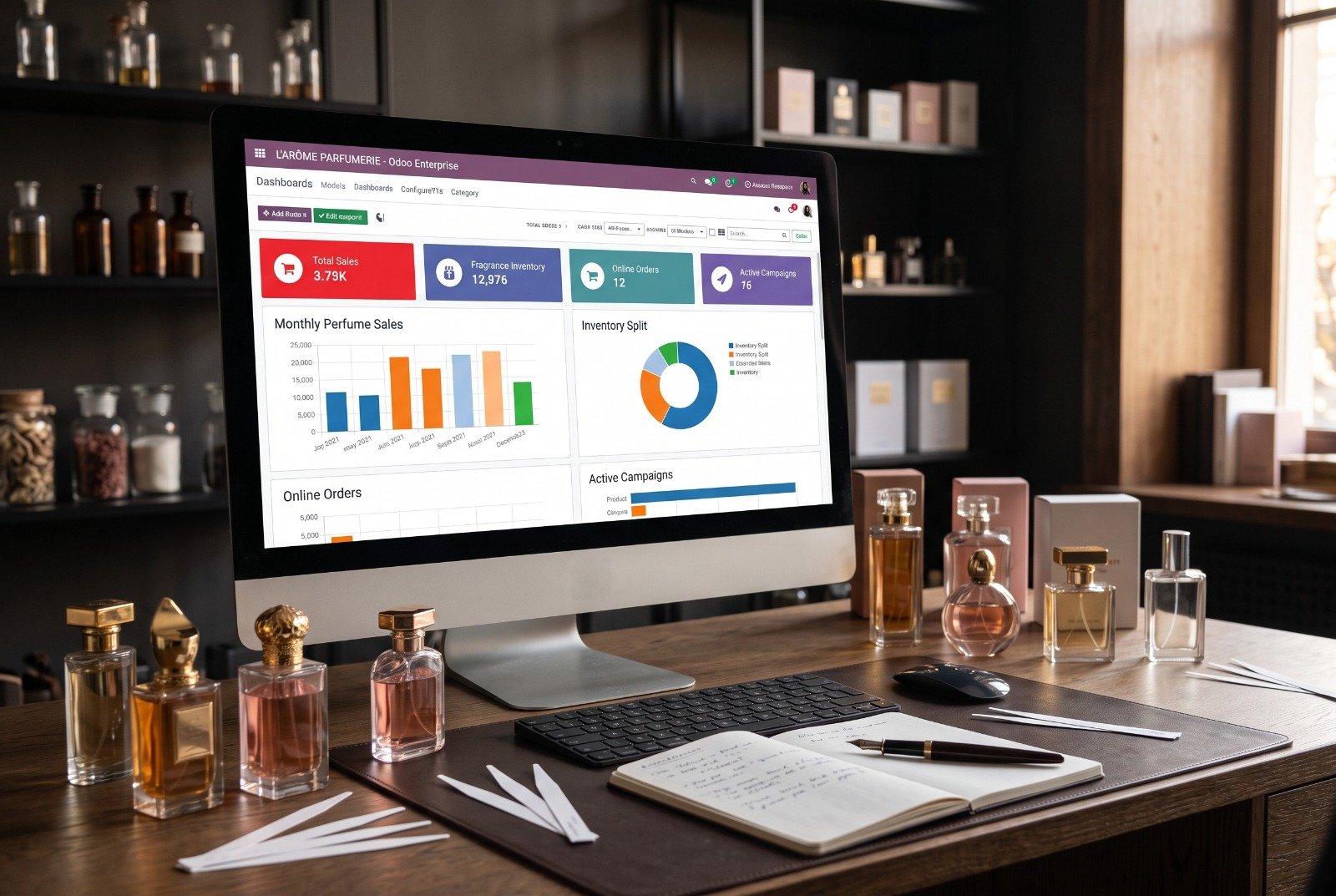
This Odoo multi-branch retail case study explains how Match Perfumes, a growing fragrance retailer with several outlets, replaced disconnected systems with one connected ERP platform implemented by OzonLayer. The company sells a wide range of international and niche fragrance brands, and as it opened more locations, keeping stock, sales, purchasing and finance aligned across every store had become a daily struggle.
Below you will find the challenges Match Perfumes faced, the Odoo applications we configured, the customizations we built for perfume retail, how the project was delivered, and the results the business reported after go-live. If you run more than one store and are weighing an Odoo multi-branch retail project, the lessons and FAQ at the end are written for you.
In this case study

Odoo multi-branch retail at a glance
| Item | Details |
|---|---|
| Client | Match Perfumes |
| Industry | Perfume retail |
| Solution | Odoo ERP implementation for a multi-outlet fragrance retailer |
| Implementation partner | OzonLayer IT Services, verified Odoo Silver Partner |
| Modules | Point of Sale, Inventory, Sales, Accounting, executive dashboards and custom reporting |
| Services | Business process analysis, ERP implementation, data migration, user training, custom development, go-live support and ongoing maintenance |
About the client
Match Perfumes is a growing perfume retailer that operates multiple retail outlets. Its shelves carry a broad mix of international and niche fragrance brands, which means a large catalog of high-value, compact products that customers often want to test, compare and buy on the spot.
Managing that catalog across several locations is where the pressure built up. As the business expanded, stock, sales, procurement and financial operations were spread across disconnected systems. Each new outlet added more data to reconcile by hand and more room for the numbers in one system to disagree with the numbers in another.
This is a common turning point in perfume retail. A single shop can be run from a till and a spreadsheet, but once stock is split across several outlets and a warehouse, small errors multiply and nobody has a complete, trusted picture of the business.
Match Perfumes needed one platform that could show what was on hand in every store, record every sale as it happened, feed purchasing decisions with real demand, and post the results straight into the books. That is the brief OzonLayer took on.
The business challenges
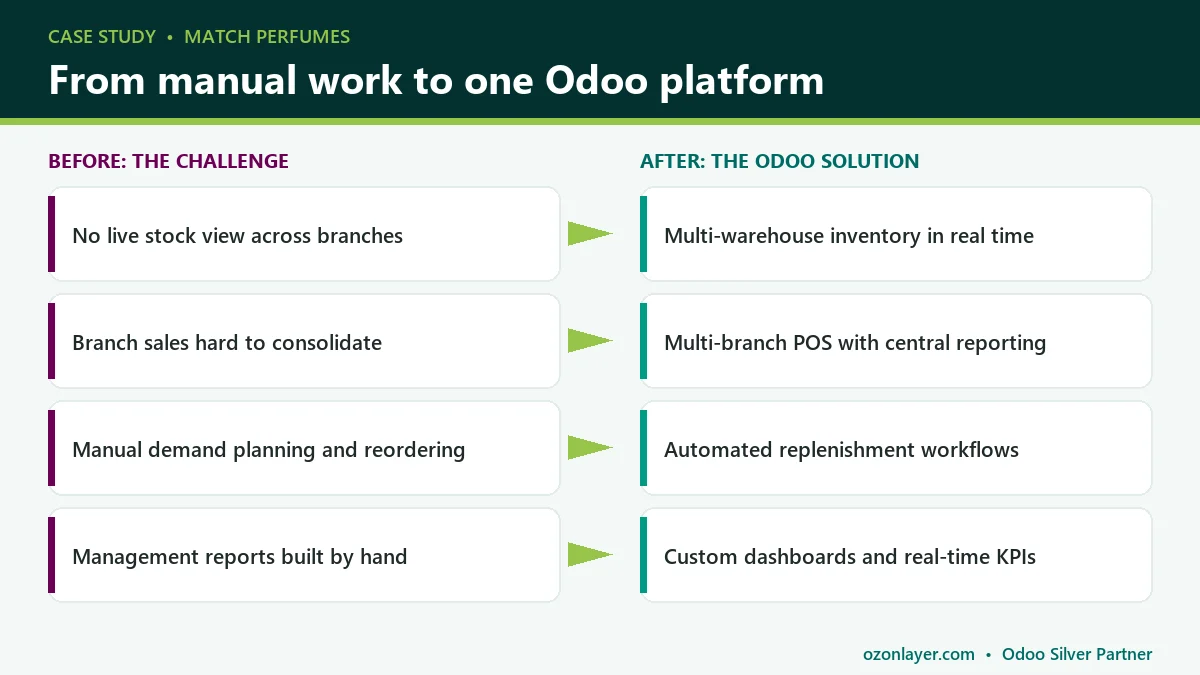
Before the project, the retailer faced four connected problems. Each one is common in multi-store perfume retail, and each one made the others worse.
Inventory visibility
Match Perfumes lacked real-time visibility into stock levels across its branches and warehouses. The result was a familiar pattern: shortages of some fragrances in one store while the same items sat as overstock elsewhere.
In perfume retail this hurts twice. A customer who cannot find a signature scent often walks out rather than choosing a substitute, and slow-moving stock ties up cash in expensive bottles that may need discounting later.
Multi-branch management
Management struggled to consolidate sales and inventory data from multiple locations. Without a single view, it was hard to compare branches, spot which outlet needed attention, or see the business as a whole.
When every store reports in its own way, leaders spend their time collecting and checking numbers instead of acting on them, and decisions are made on figures that are already out of date. This is the gap an Odoo multi-branch retail setup is designed to close.
Procurement planning
Demand forecasting and replenishment were largely manual. Buyers relied on partial information and experience, which led to inefficient purchasing decisions.
For a retailer that stocks many brands and sizes, manual planning makes it easy to over-order popular lines in some locations and miss reorders in others, especially around seasonal peaks and gifting periods.
Reporting delays
Producing management reports required significant manual effort and still did not provide real-time insight. By the time a report was ready, the situation in the stores had already moved on.
Slow reporting also hides problems. Margin erosion, slow-moving stock and underperforming branches stay invisible until month-end, when the cost of fixing them is higher.
Why Match Perfumes chose Odoo and OzonLayer
The core issue was fragmentation, so the answer had to be one system in which point of sale, inventory, sales and accounting share the same data. Odoo is built that way: a sale in a store reduces stock in the right location and creates the matching accounting entries without anyone rekeying it.
Odoo is also modular. A retailer can start with the applications it needs today and add others later, such as Odoo eCommerce for online orders, on the same database. That made it a good fit for a growing business that wanted a scalable platform rather than another point solution.
Because Odoo POS is a native Odoo application rather than a bolt-on, store sales do not need a separate integration to reach inventory or accounting. Fewer moving parts means fewer sync failures, simpler support and one set of numbers that everyone in the business can trust.
OzonLayer IT Services is a verified Odoo Silver Partner based in Riyadh. We implement, customize, integrate and support Odoo for businesses in Saudi Arabia and the UK, and you can see our profile on the official Odoo partner directory. For Match Perfumes, our role covered the full journey: analyzing current processes, configuring the system, migrating data, building retail-specific customizations, training staff and supporting the stores after go-live.
The Odoo multi-branch retail solution: modules implemented
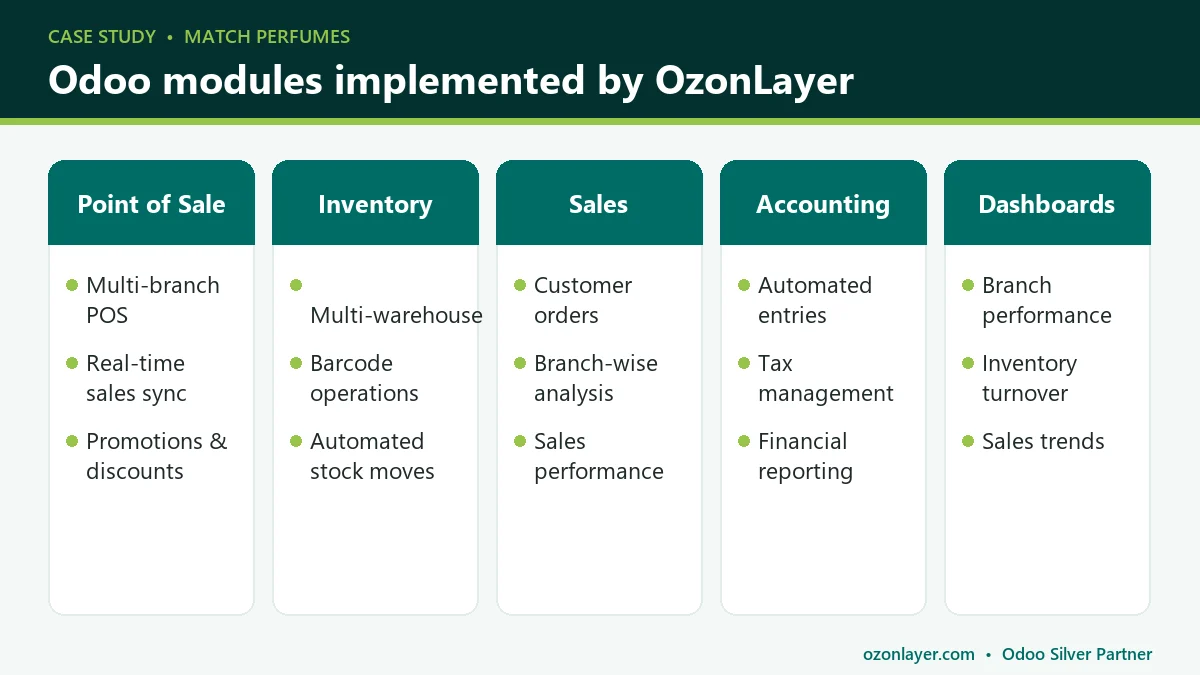
OzonLayer implemented a comprehensive Odoo ERP solution tailored to the perfume retail industry. Five areas were configured to work as one system, so that every transaction in a store flows through to stock, sales analysis and finance automatically.
Point of Sale: Odoo POS in every branch
Each outlet was set up with its own Odoo POS configuration, so every branch runs its own sessions while reporting into the same company. Sales sync to the central system as they happen, giving head office a live picture of trading. In Odoo, store teams open and close POS sessions with cash control, which makes end-of-day checks simpler and more consistent across outlets.
Customer records are shared between stores, so staff can look up a customer and their purchase history at checkout. Promotions and discounts are managed centrally in Odoo POS and applied at the till, which keeps pricing consistent. You can read more about the standard features in the Odoo Point of Sale documentation, or see how we deploy an Odoo POS system for retail businesses.
- Multi-branch POS setup
- Real-time sales synchronization
- Integrated customer management
- Promotion and discount management
Inventory management
Odoo Inventory was configured with a warehouse structure that reflects the retailer’s stores and storage locations. Because stock is tracked per location, anyone with the right access can see what is available in each branch and in each warehouse at any moment.
Stock moves are created automatically when goods are received, transferred between locations or sold through Odoo POS. Barcode scanning supports receiving, transfers and counts, reducing manual entry errors. Our page on Odoo inventory management software explains the wider capabilities, and the Odoo Barcode documentation covers scanning workflows in detail.
- Multi-warehouse management
- Real-time stock visibility
- Automated inventory movements
- Barcode-enabled operations
Sales management
Odoo Sales handles customer orders that fall outside a standard till transaction, keeping them in the same system as store sales. Sales performance is tracked by branch, so management can compare outlets, products and periods without merging spreadsheets.
- Customer order management
- Sales performance tracking
- Branch-wise sales analysis
Accounting
Odoo Accounting receives sales transactions directly from Odoo POS and Sales, so journal entries are created automatically instead of being keyed in from store reports. Tax is calculated and recorded as part of each transaction, and financial reports draw on the same live data the stores use.
- Automated accounting entries
- Financial reporting
- Tax management
- Integrated sales transactions
Executive dashboards
Dashboards give management one place to see key performance indicators across the business. Branch performance, inventory turnover and sales trends are available on demand instead of waiting for a manually prepared report.
- Real-time KPIs
- Branch performance analysis
- Inventory turnover reporting
- Sales trend analysis
Key customizations
Standard Odoo covered most needs out of the box. Where the retailer’s way of working required more, our Odoo customization services team built three targeted extensions.
Retail-specific inventory controls
Customized inventory workflows were developed to improve stock accuracy and movement tracking between branches. In perfume retail, inter-store transfers are frequent and every unit carries real value, so it matters that each movement is recorded, traceable and matched at both ends.
Advanced reporting
Custom dashboards and reports were designed to give management real-time insight into sales, inventory and profitability. Rather than exporting data and rebuilding it in spreadsheets, decision-makers see the figures they care about in the format they need.
Multi-branch performance monitoring
Management gained centralized visibility into branch operations through consolidated reporting and analytics. This is where Odoo multi-branch retail reporting pays off. It turns the multi-store structure from a reporting burden into a source of insight: leaders can compare outlets side by side and act on differences quickly.
Integration
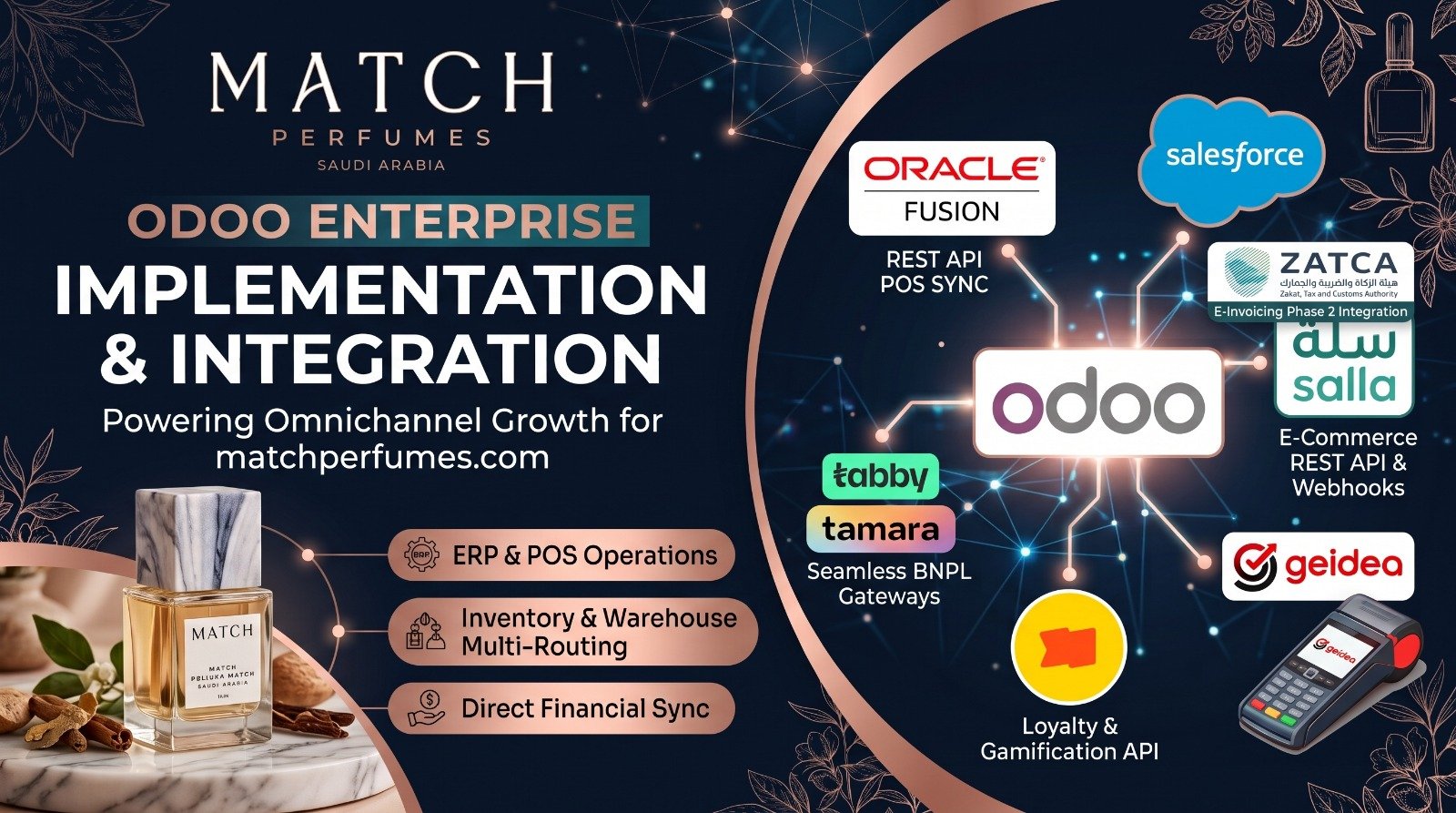
Built on a direct, point-to-point REST API architecture that completely bypasses third-party middleware, this integration exclusively synchronizes Point of Sale (POS) orders. Odoo processes high-volume daily retail transactions and directly triggers Oracle Fusion Cloud Financials to automate standard receipts and receivables invoices, giving corporate finance consolidated global visibility while keeping Odoo operationally unburdened.
Omnichannel E-commerce (Salla):
Driven strictly by Salla’s REST API and real-time webhooks, this connection ensures instant, bi-directional data flow. Webhooks push new orders, product catalog changes, and customer registrations to Odoo immediately without batch delays. Conversely, Odoo pushes real-time stock deductions back to Salla, mathematically preventing overselling. Secure OAuth authentication manages automatic token refreshes for uninterrupted sync.
Enterprise CRM Pipeline (Salesforce):
A bi-directional API connects Salesforce with Odoo’s operational backend. Customer data synched through multiple sale channels in salesforce from Odoo.
Advanced Payment Gateways (Geidea, Tabby, Tamara):
The Odoo POS links securely to the Geidea WebECR agent over local networks, pushing exact order amounts to physical terminals (Geidea) to entirely eliminate manual entry errors and double-charging. For flexible financing, Tabby and Tamara (BNPL) process digital transactions while automating backend reconciliation—dynamically deducting gateway commission fees directly within Odoo’s accounting ledgers.
Cross-Channel Gamification (Gameball):
Utilizing Gameball’s Integrations API, this loyalty engine continuously syncs user attributes and tier progress across all sales channels. Customers earning points on orders.
ZATCA: Continuous Compliance (Phase 1 & Phase 2): It seamlessly bridges Odoo ERP system with the ZATCA portal, ensuring full adherence to both Phase 1 (generation of electronic invoices) and Phase 2 (Integration Phase), which requires real-time system linking.
Automated Invoice Workflows: Standard and Simplified invoices (B2B and B2C) are generated, signed, and validated directly inside Odoo Accounting and Point of Sale (POS), eliminating the need for dual data entry.
Implementation approach
OzonLayer delivered the project through a structured set of services. Each stage built on the one before, so that the system matched how the stores actually operate.
Business process analysis
We started with discovery workshops to map how Match Perfumes handled selling, stock, purchasing and finance across its locations. This showed where data was being duplicated, where delays occurred and which processes Odoo could handle as standard.
ERP implementation
Next, we configured the Odoo applications: Odoo POS settings for each branch, warehouse and location structure, products and pricing, sales workflows, taxes and the chart of accounts. Configuration choices were reviewed with the client so the setup reflected real store operations.
Data migration
Existing business data was moved from the previous systems into Odoo so the stores could go live with the records they rely on. Careful migration matters in retail, because wrong product or stock data on day one undermines trust in the new system. Our Odoo data migration services page describes how we approach this work.
Custom development
The retail-specific inventory controls, advanced reports and multi-branch monitoring described above were developed and tested alongside the standard configuration, so they fit cleanly into everyday workflows.
User training
Store staff, inventory teams, finance users and managers were trained on the parts of Odoo they use. Role-based training keeps sessions practical: cashiers focus on Odoo POS, while managers learn the dashboards and reports.
Go-live support
During go-live, OzonLayer supported the team as the stores started trading on the new system, resolving questions quickly so operations kept moving.
Ongoing maintenance
After launch, we continue to maintain the system so it keeps pace with the business. Ongoing Odoo support covers fixes, adjustments and improvements as Match Perfumes grows.
Results achieved
Match Perfumes reported clear qualitative improvements across inventory, decision-making, purchasing and the customer experience. The results below are the outcomes the business described after the stores began trading on Odoo.
Improved inventory accuracy
Real-time stock tracking reduced discrepancies and improved inventory control. With every sale, transfer and receipt recorded in one system, stock figures now reflect what is actually on the shelves.
Better decision making
Management gained access to real-time business intelligence and performance metrics. Decisions about stock, staffing and promotions can be based on current data rather than last month’s report.
Faster procurement process
Automated replenishment workflows improved purchasing efficiency and reduced stock shortages. Buyers work from live demand and stock levels instead of manual estimates.
Enhanced customer experience
Faster checkout and better product availability improved customer satisfaction. Shoppers are more likely to find the fragrance they came for and get through the Odoo POS checkout quickly, while staff can see stock in other branches when an item is not on the shelf.
Business impact
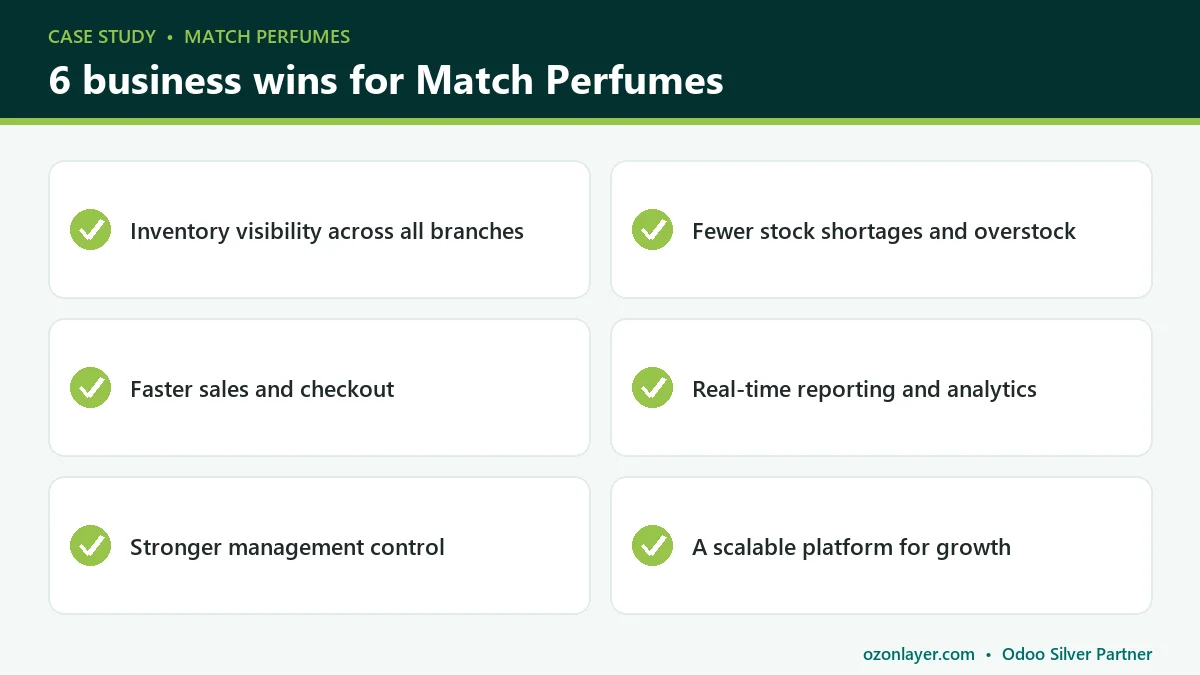
Taken together, the project delivered six business wins for Match Perfumes:
- Improved inventory visibility across all branches
- Reduced stock shortages and overstock situations
- Faster sales processes
- Real-time reporting and analytics
- Enhanced management control and decision-making
- A scalable ERP platform supporting future business growth
The last point is easy to overlook. Because the platform is centralized and automated, adding an outlet means adding an Odoo POS configuration and a stock location, not another disconnected system to reconcile.
Lessons for perfume retail businesses considering Odoo
Every retailer is different, but several practical lessons apply to most multi-store perfume retail and beauty businesses.
Fix stock visibility before anything else
Most retail problems trace back to not knowing what is where. Set up your warehouse and location structure carefully at the start, because accurate stock by location is what makes replenishment, transfers and reporting work.
Treat each store as a location, not a separate business
Running each branch as its own POS configuration within one company gives store teams independence at the till while head office keeps one view of stock and sales. Avoid creating separate databases for each outlet.
Use barcodes from day one
Fragrances come in many brands, sizes and gift sets that look similar on a shelf. Barcode scanning for receiving, transfers and counts removes much of the manual error that causes stock discrepancies.
Automate replenishment, then review it
Odoo reordering rules can suggest or trigger purchases when stock drops below a set level. Start with sensible minimums and maximums per location, then review them regularly as you learn how each branch sells. The Odoo Inventory documentation explains how these rules work.
Decide which reports you need before go-live
Agree on the handful of KPIs management will check every week, such as branch sales, stock turnover and margin, and make sure the dashboards show them from the first day. For a hospitality example of the same principle, see our Sweet & Salty restaurant POS case study.
Plan your Odoo multi-branch retail rollout for growth
Design the setup for the business you expect to be, not only the one you are today. A consistent naming scheme for stores, locations and POS configurations, clear user roles and standard reports make it far easier to open a new outlet later. Growth then becomes a configuration task instead of a new project.
Frequently asked questions
Can Odoo POS run several stores from one database?
Yes. In Odoo you can create a separate POS configuration for each store or till, all within one database and company. Each configuration has its own sessions and settings, while products, customers, stock and accounting stay shared.
This is how most retailers handle multiple outlets: local control at the counter, central visibility in the back office.
How does Odoo track stock across multiple branches?
Odoo Inventory tracks quantities by warehouse and location. A sale from a branch reduces stock at that branch’s location, and transfers between stores are recorded as stock moves, so you can see available quantities everywhere at once.
Does Odoo support barcode scanning in retail?
Yes. Products can carry barcodes that are scanned at the POS during checkout, and the Barcode app supports receiving, internal transfers and inventory counts using handheld scanners or compatible mobile devices.
Are Odoo POS sales posted to accounting automatically?
Yes. When a POS session is closed, Odoo posts the related accounting entries, including revenue, taxes and payment methods. Finance teams work with the same figures the stores generated rather than re-entering daily sales.
Can Odoo be customized for a specific retail workflow?
Yes. Odoo is open and modular, so partners can extend it with custom workflows, reports and dashboards. The best approach is to use standard features where they fit and customize only where they add clear value, which keeps future upgrades simpler.
Conclusion
By implementing Odoo ERP, Match Perfumes transformed its retail operations into a centralized, automated and scalable business management platform. Management now has real-time visibility into operations, with better efficiency, inventory control and overall business performance across its stores.
If your stores still run on disconnected systems, an Odoo multi-branch retail setup can give you the same single view of stock, sales and finance. Book a free Odoo consultation and our team will review your processes and recommend the right setup for your business.